Free edition (legacy / portable)
OnecaratEditor (Free)
The current main edition is OnecaratEditor Core on the Microsoft Store. The Free edition remains available as a legacy, portable ZIP through GitHub Releases — download, extract, and run; the LFM2.5-1.2B-JP model is bundled, so local AI works out of the box.
Download v0.9.3 on GitHub
LFM2.5-1.2B-JP model is included — ready to use out of the box.
Whisper-related files are not bundled and must be prepared separately by the user.
OV code signing has been introduced to reduce Windows SmartScreen warnings.
Quick Start
- Download the ZIP from GitHub Releases.
- Extract the archive to a folder of your choice.
- Run OnecaratEditor.exe.
- Select the bundled model and start the local server.
For detailed setup, see the Quick Start Guide.
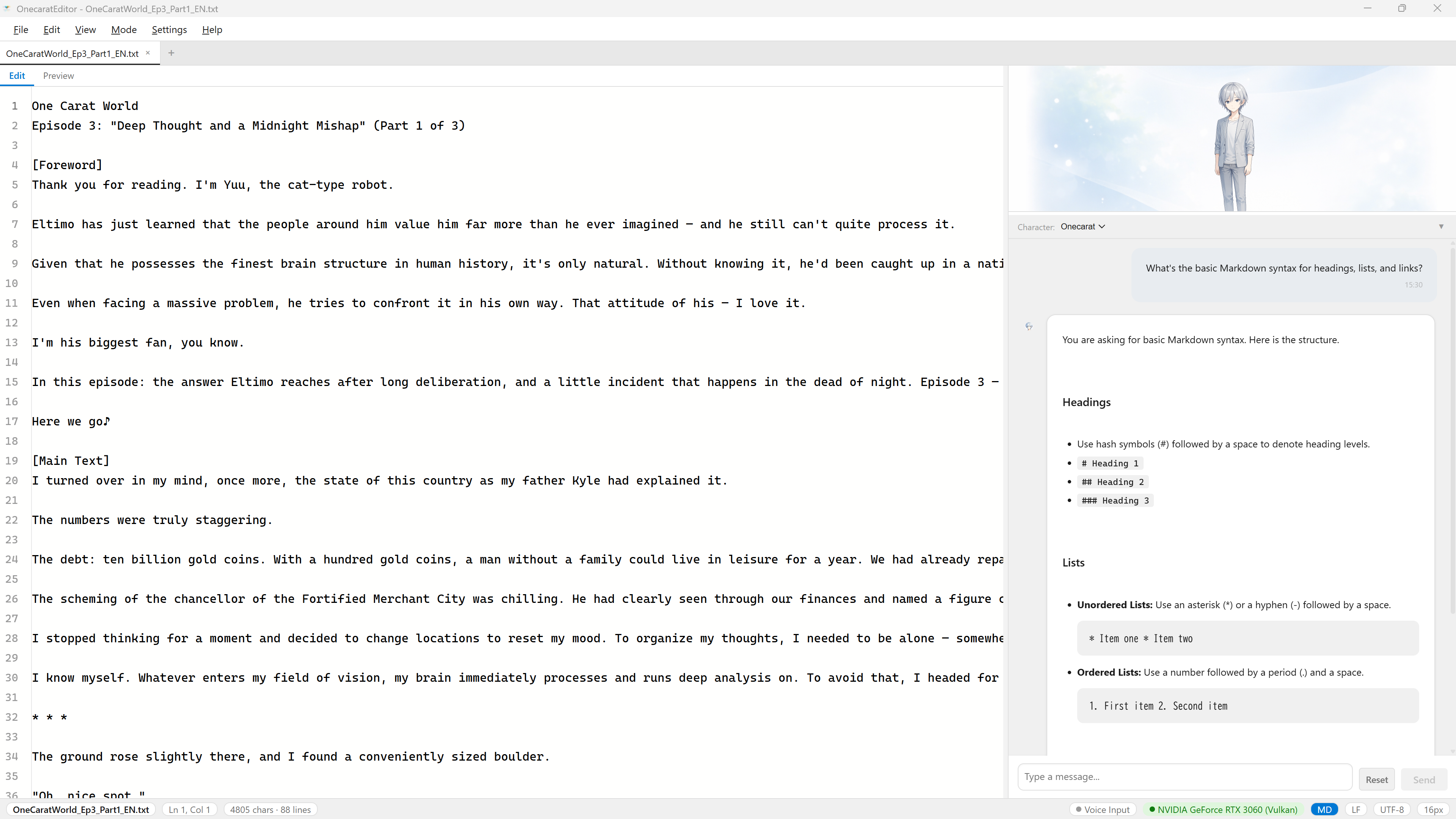
Screenshot: OnecaratEditor Free edition
Release
What's new in v0.9.3
- Writing Mode — project management, sticky notes, background presets, snapshot saving
- Genkou-yoshi (manuscript paper) — vertical text display with typesetting rules
- Chat output rendered as HTML (Markdown / Mermaid / code highlighting)
- llama-server b9193 support, GPU detection fix, max_tokens 2048
- 3 new help topics, keyboard shortcut updates
- Security hardening (XSS protection, command injection prevention, path validation)
- i18n improvements (status bar Japanese localization, editor placeholder support)